 80e1a8d650
- Make codebase-agent work with TypeScript, Python, Go, Rust, and more
- Add clear runtime/type-check/lint command examples for each language
- Update build-agent to support all languages (tsc, mypy, go build, cargo check)
- Make essential-patterns universal by removing language-specific code examples
- Update README to mention multi-language support
- Remove auto-detection overhead - agents naturally adapt based on project files
289 lines
8.1 KiB
Markdown
289 lines
8.1 KiB
Markdown
# OpenCode Agents
|
|
|
|
A set of OpenCode configurations, prompts, agents, and plugins for enhanced development workflows.
|
|
|
|
[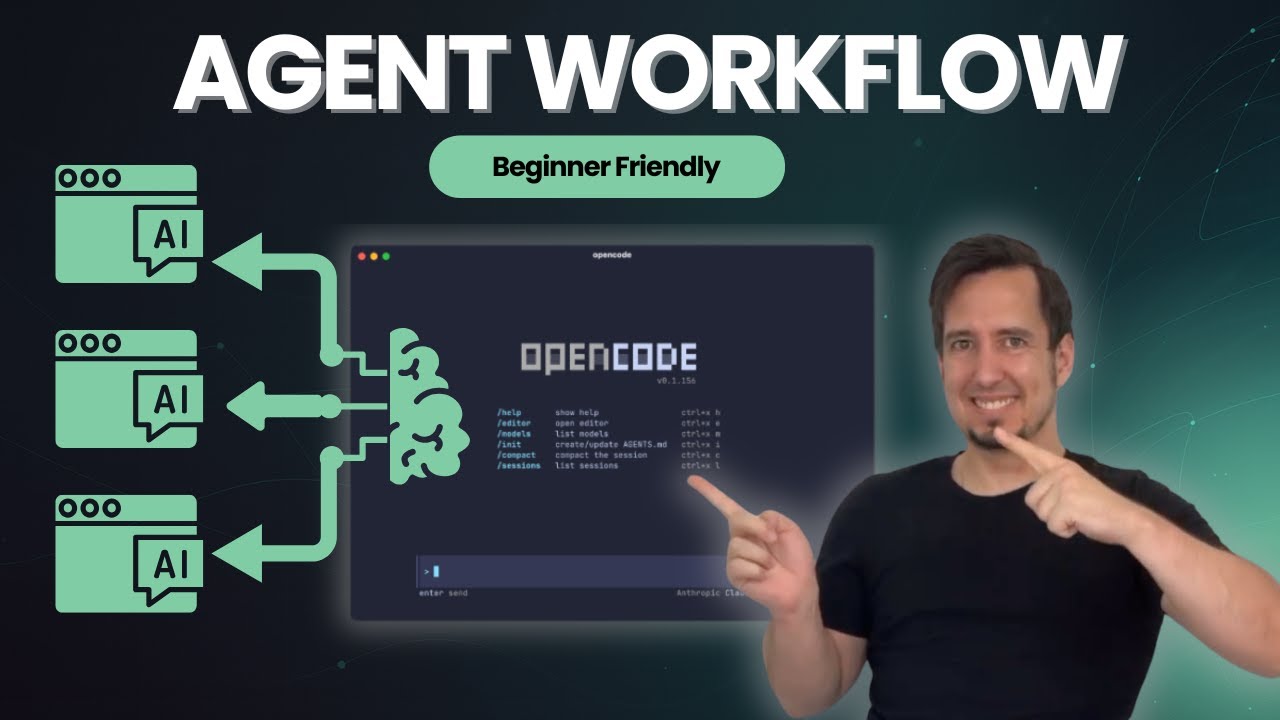](https://youtu.be/EOIzFMdmox8?si=4ZSsVlAkhMxVmF2R)
|
|
|
|
## Why Use This?
|
|
|
|
- ✅ **Multi-language support** - Works with TypeScript, Python, Go, Rust, and more
|
|
- ✅ **Plan-first workflow** - Agents propose plans before implementing
|
|
- ✅ **Incremental execution** - Step-by-step implementation with validation
|
|
- ✅ **Quality built-in** - Automatic testing, type checking, and code review
|
|
- ✅ **Your patterns** - Agents follow your coding standards from context files
|
|
|
|
---
|
|
|
|
## Quick Start
|
|
|
|
### Step 1: Install OpenCode CLI
|
|
```bash
|
|
# Follow official guide
|
|
https://opencode.ai/docs
|
|
```
|
|
|
|
### Step 2: Install Agents & Commands
|
|
```bash
|
|
# Clone this repository
|
|
git clone https://github.com/darrenhinde/opencode-agents.git
|
|
cd opencode-agents
|
|
|
|
# Install to OpenCode directory (global)
|
|
mkdir -p ~/.opencode
|
|
cp -r .opencode/agent ~/.opencode/
|
|
cp -r .opencode/command ~/.opencode/
|
|
cp -r .opencode/context ~/.opencode/
|
|
```
|
|
|
|
### Step 3: Start Building
|
|
```bash
|
|
# Start the main development agent (recommended for new users)
|
|
opencode --agent codebase-agent
|
|
|
|
# Tell it what to build
|
|
> "Create a React todo list with TypeScript"
|
|
```
|
|
|
|
**What happens next:**
|
|
1. Agent proposes an implementation plan
|
|
2. Asks for your approval
|
|
3. Implements step-by-step with validation
|
|
4. Delegates to @task-manager for complex features
|
|
5. Uses @tester and @reviewer for quality assurance
|
|
|
|
---
|
|
|
|
## How It Works
|
|
|
|
```
|
|
User Request
|
|
↓
|
|
codebase-agent (main coordinator)
|
|
↓
|
|
├─→ @task-manager (breaks down complex features)
|
|
├─→ @tester (writes and runs tests)
|
|
├─→ @reviewer (security and code review)
|
|
├─→ @documentation (generates docs)
|
|
└─→ @build-agent (type checking and validation)
|
|
```
|
|
|
|
**The workflow:**
|
|
1. **You describe** what you want to build
|
|
2. **Agent plans** the implementation steps
|
|
3. **You approve** the plan
|
|
4. **Agent implements** incrementally with validation
|
|
5. **Quality checks** run automatically (tests, types, linting)
|
|
6. **Subagents handle** specialized tasks (testing, review, docs)
|
|
|
|
**Context-aware:** Agents automatically load patterns from `.opencode/context/` to follow your coding standards.
|
|
|
|
---
|
|
|
|
## What's Included
|
|
|
|
### 🤖 Main Agents
|
|
- **codebase-agent** - Your main development partner (recommended for most tasks)
|
|
- **task-manager** - Breaks complex features into manageable subtasks
|
|
- **workflow-orchestrator** - Routes requests to appropriate workflows
|
|
- **image-specialist** - Generates images with Gemini AI
|
|
|
|
### 🔧 Specialized Subagents (Auto-delegated)
|
|
- **reviewer** - Code review and security analysis
|
|
- **tester** - Test creation and validation
|
|
- **coder-agent** - Quick implementation tasks
|
|
- **documentation** - Documentation generation
|
|
- **build-agent** - Build and type checking
|
|
- **codebase-pattern-analyst** - Pattern discovery
|
|
|
|
### ⚡ Commands
|
|
- **/commit** - Smart git commits with conventional format
|
|
- **/optimize** - Code optimization
|
|
- **/test** - Testing workflows
|
|
- **/clean** - Cleanup operations
|
|
- **/context** - Context management
|
|
- **/prompt-enchancer** - Improve your prompts
|
|
- **/worktrees** - Git worktree management
|
|
|
|
### 📚 Context Files
|
|
- `core/essential-patterns.md` - Universal coding patterns
|
|
- `project/project-context.md` - Your project-specific patterns
|
|
|
|
---
|
|
|
|
## Example Workflows
|
|
|
|
### Build a Feature
|
|
```bash
|
|
opencode --agent codebase-agent
|
|
> "Create a user authentication system with email/password"
|
|
|
|
# Agent will:
|
|
# 1. Propose implementation plan
|
|
# 2. Wait for your approval
|
|
# 3. Delegate to @task-manager (creates tasks/subtasks/user-auth/)
|
|
# 4. Implement step-by-step
|
|
# 5. Use @tester for tests
|
|
# 6. Use @reviewer for security review
|
|
```
|
|
|
|
### Make a Commit
|
|
```bash
|
|
# Make your changes
|
|
git add .
|
|
|
|
# Use the commit command
|
|
/commit
|
|
|
|
# Auto-generates: ✨ feat: add user authentication system
|
|
```
|
|
|
|
### Add Your Patterns
|
|
```bash
|
|
# Edit your project context
|
|
nano ~/.opencode/context/project/project-context.md
|
|
|
|
# Add your patterns:
|
|
# **API Endpoint Pattern:**
|
|
# ```typescript
|
|
# export async function POST(request: Request) {
|
|
# // Your standard pattern
|
|
# }
|
|
# ```
|
|
|
|
# Agents will automatically use these patterns!
|
|
```
|
|
|
|
---
|
|
|
|
## Optional Add-ons
|
|
|
|
### 📱 Telegram Notifications
|
|
Get notified when OpenCode sessions go idle.
|
|
|
|
```bash
|
|
# Copy plugin directory
|
|
cp -r .opencode/plugin ~/.opencode/
|
|
|
|
# Install dependencies
|
|
cd ~/.opencode/plugin
|
|
npm install
|
|
|
|
# Configure
|
|
cd ~/opencode-agents
|
|
cp env.example .env
|
|
# Edit .env with TELEGRAM_BOT_TOKEN and TELEGRAM_CHAT_ID
|
|
```
|
|
|
|
**Get credentials:** Message @BotFather on Telegram → `/newbot` → Save token
|
|
|
|
See [`.opencode/plugin/README.md`](.opencode/plugin/README.md) for detailed documentation.
|
|
|
|
### 🎨 Gemini AI Image Tools
|
|
Generate and edit images using Gemini AI.
|
|
|
|
```bash
|
|
# Copy tool directory
|
|
cp -r .opencode/tool ~/.opencode/
|
|
|
|
# Install dependencies
|
|
cd ~/.opencode/tool
|
|
npm install
|
|
|
|
# Configure
|
|
cd ~/opencode-agents
|
|
cp env.example .env
|
|
# Edit .env with GEMINI_API_KEY
|
|
```
|
|
|
|
**Get API key:** https://makersuite.google.com/app/apikey
|
|
|
|
---
|
|
|
|
## Common Questions
|
|
|
|
**Q: What's the main way to use this?**
|
|
A: Use `opencode --agent codebase-agent` for development. It coordinates everything else.
|
|
|
|
**Q: Do I need to install plugins/tools?**
|
|
A: No, they're optional. Only install if you want Telegram notifications or Gemini AI features.
|
|
|
|
**Q: Where should I install - globally or per-project?**
|
|
A: Global (`~/.opencode/`) works for most. Project-specific (`.opencode/`) if you need different configs per project.
|
|
|
|
**Q: How do I add my own coding patterns?**
|
|
A: Edit `~/.opencode/context/project/project-context.md` - agents automatically load this file.
|
|
|
|
**Q: What languages are supported?**
|
|
A: The agents work with any language (TypeScript, Python, Go, Rust, etc.) and adapt based on your project files.
|
|
|
|
**Q: What's the AGENT-SYSTEM-BLUEPRINT.md for?**
|
|
A: It's a teaching document explaining architecture patterns and how to extend the system.
|
|
|
|
**Q: Can I use just one command or agent?**
|
|
A: Yes! Cherry-pick individual files with curl:
|
|
```bash
|
|
curl -o ~/.opencode/agent/codebase-agent.md \
|
|
https://raw.githubusercontent.com/darrenhinde/opencode-agents/main/.opencode/agent/codebase-agent.md
|
|
```
|
|
|
|
---
|
|
|
|
## Advanced
|
|
|
|
### Understanding the System
|
|
Read [AGENT-SYSTEM-BLUEPRINT.md](.opencode/AGENT-SYSTEM-BLUEPRINT.md) to learn:
|
|
- How context loading works (the `@` symbol)
|
|
- Agent architecture patterns
|
|
- How to create custom agents and commands
|
|
- How to extend the system for your needs
|
|
|
|
### Safety & Security
|
|
- **Approval-first workflow** - Agents propose plans before execution
|
|
- **Configurable permissions** - Granular control over agent capabilities
|
|
- **Secure credentials** - Environment variables for sensitive data
|
|
- **Input sanitization** - Protection against injection attacks
|
|
|
|
### Project Structure
|
|
```
|
|
.opencode/
|
|
├── agent/ # AI agents
|
|
│ ├── codebase-agent.md
|
|
│ ├── task-manager.md
|
|
│ └── subagents/ # Specialized helpers
|
|
├── command/ # Slash commands
|
|
│ ├── commit.md
|
|
│ └── optimize.md
|
|
├── context/ # Coding patterns
|
|
│ ├── core/ # Essential patterns
|
|
│ └── project/ # Your patterns
|
|
├── plugin/ # Optional: Telegram
|
|
└── tool/ # Optional: Gemini AI
|
|
```
|
|
|
|
---
|
|
|
|
## Contributing
|
|
|
|
1. Follow the established naming conventions and coding standards
|
|
2. Write comprehensive tests for new features
|
|
3. Update documentation for any changes
|
|
4. Ensure security best practices are followed
|
|
|
|
---
|
|
|
|
## License
|
|
|
|
This project is licensed under the MIT License.
|
|
|
|
---
|
|
|
|
## Recommended for New Users
|
|
|
|
**Start with `codebase-agent`** - it's your main development partner that handles planning, implementation, and quality assurance. It automatically delegates to specialized subagents when needed, so you don't have to manage multiple agents yourself.
|
|
|
|
```bash
|
|
opencode --agent codebase-agent
|
|
> "Your development task here"
|
|
```
|
|
|
|
The agent will guide you through the entire development workflow with a plan-first, approval-based approach.
|