 ca2e35c30b
* feat: implement compatibility layer foundation (Issue #141) - Add TypeScript project setup with strict mode and Vitest - Implement 20+ Zod validation schemas for OpenAgent format - Create BaseAdapter abstract class with template method pattern - Add context documentation for compatibility layer workflow - Setup ESLint, TypeScript, and test configuration Phase 1 Foundation: 50% complete (subtasks 01-03) Related: #141 * feat: implement AgentLoader with TypeScript (Issue #141) - Add AgentLoader class for loading OAC agent files - Implement parseFrontmatter() for YAML extraction - Add extractSections() for markdown parsing (skills, examples, commands, workflow) - Create custom error classes: AgentLoadError, FrontmatterParseError, ValidationError - Support single file and recursive directory loading - Add metadata merging from agent-metadata.json - Export convenience functions: loadAgent(), loadAgents() - Full Zod schema validation with descriptive error messages - 386 lines, type-safe with strict mode Phase 1 Foundation: 66.7% complete (subtask 04/06) Related: #141 * feat: implement AdapterRegistry with TypeScript (Issue #141) - Add AdapterRegistry class for managing tool adapters - Implement type-safe registration with Map<string, BaseAdapter> - Add alias support for adapter names (case-insensitive) - Create custom error class: AdapterRegistryError - Implement methods: register(), get(), list(), has(), getAll(), unregister(), clear() - Add capability-based adapter discovery: getCapabilities(), findByFeature() - Export singleton registry instance and convenience functions - Support lazy loading of built-in adapters (placeholder for Phase 2) - 416 lines, fully type-safe with strict mode Features: - Duplicate registration prevention - Alias conflict detection - O(1) adapter lookup - Sorted adapter listings - Comprehensive JSDoc documentation Phase 1 Foundation: 83.3% complete (subtask 05/06) Related: #141 * feat: create main entry point index.ts (Issue #141) - Add comprehensive barrel exports for public API - Export all Zod schemas and TypeScript types - Export AgentLoader class and convenience functions - Export AdapterRegistry, singleton, and helpers - Export error classes: AgentLoadError, FrontmatterParseError, ValidationError, AdapterRegistryError - Export BaseAdapter for custom adapter creation - Add package VERSION constant - Include JSDoc documentation with usage examples - Organized exports by category (types, core, adapters) - 168 lines with comprehensive documentation All exports: - Types: All Zod schemas and inferred TypeScript types - Core: AgentLoader, AdapterRegistry, registry singleton - Adapters: BaseAdapter abstract class - Errors: All custom error classes - Utilities: Convenience functions (loadAgent, getAdapter, etc.) Phase 1 Foundation: 100% COMPLETE! 🎉 (6/6 subtasks) Related: #141 * feat: implement ClaudeAdapter with bidirectional conversion (Issue #141) - Implement ClaudeAdapter extending BaseAdapter - Support toOAC() conversion from Claude Code format to OAC - Support fromOAC() conversion from OAC to Claude Code format - Handle .claude/config.json for primary agents - Handle .claude/agents/*.md for subagents with YAML frontmatter - Map Claude Skills system to/from OAC contexts - Map hooks (PreToolUse, PostToolUse, etc.) bidirectionally - Degrade granular OAC permissions to Claude permissionMode - Add warnings for unsupported features (temperature, maxSteps) - Export ClaudeAdapter from main index.ts Capabilities: - supportsMultipleAgents: true - supportsSkills: true - supportsHooks: true - supportsGranularPermissions: false (binary only) - supportsTemperature: false - Model ID mapping (claude-sonnet-4 <-> claude-sonnet-4-20250514) - Tool access mapping (OAC ToolAccess <-> Claude tools array) Subtask: compatibility-layer-141-07 Phase: 2 (Adapters Migration) * feat: implement CursorAdapter with single-file format support (Issue #141) - Implement CursorAdapter extending BaseAdapter - Support toOAC() conversion from .cursorrules to OAC - Support fromOAC() conversion from OAC to .cursorrules format - Handle single-file limitation (no multiple agents) - Implement mergeAgents() for combining multiple OAC agents - Parse optional YAML frontmatter in .cursorrules - Inline context files into .cursorrules content - Add comprehensive warnings for lost features Key limitations: - supportsMultipleAgents: false (single .cursorrules file) - supportsSkills: false (must inline content) - supportsHooks: false (not supported by Cursor) - supportsGranularPermissions: false (binary only) - supportsTemperature: true (limited support) Features: - Model ID mapping (gpt-4, claude-3-opus, etc.) - Tool access parsing and generation - Context file inlining with references - Multi-agent merge capability - Frontmatter parsing for metadata Export CursorAdapter from main index.ts Subtask: compatibility-layer-141-08 Phase: 2 (Adapters Migration) * feat: implement WindsurfAdapter with bidirectional conversion (Issue #141) - Add WindsurfAdapter.ts (514 lines) extending BaseAdapter - Support bidirectional OAC ↔ Windsurf JSON conversion - Implement toOAC() for Windsurf config → OpenAgent parsing - Implement fromOAC() for OpenAgent → Windsurf config generation - Add temperature ↔ creativity setting mapping (low/medium/high) - Add model ID mapping (claude-sonnet-4 ↔ claude-4-sonnet) - Support multi-agent configuration via .windsurf/agents/ - Support context files via .windsurf/context/ - Implement binary permission mapping with degradation warnings - Add priority level normalization (critical/high/medium/low → high/low) - Export WindsurfAdapter in index.ts - All adapters now complete: Claude, Cursor, Windsurf - Compilation successful: 0 errors, 0 warnings Phase 2 (Adapters): 50% complete (3/6 subtasks) Total progress: 28.13% (9/32 subtasks) Code stats: 3,333 lines TypeScript (Foundation + Adapters) * docs: add compatibility layer context files and progress tracking (Issue #141) - Add baseadapter-implementation.md with detailed adapter pattern and testing examples - Add compatibility-layer-development.md with development workflow and best practices - Add compatibility-layer-adapters.md lookup table with adapter specifications - Add compatibility-layer-progress.md tracking Phase 1 completion and Phase 2 status - Add compatibility-learnings.md documenting implementation learnings - Update compatibility-layer.md with latest architecture insights These context files support Phase 2 adapter unit testing and future adapter development. * test: implement comprehensive unit tests for ClaudeAdapter (Issue #141 - Subtask 10) Implemented 80 test cases covering: - toOAC() parsing of config.json and agent.md (YAML frontmatter) - fromOAC() conversion to config.json and agent.md formats - Capabilities and feature validation - Model, tool, skill, hook, and permission mapping - Skill generation from contexts - Edge cases and error handling - Roundtrip conversion validation Coverage achieved: - 96.32% statements (target: 80%+) ✅ - 100% functions (target: 80%+) ✅ - 82.14% branches (target: 75%+) ✅ All test cases follow AAA pattern (Arrange-Act-Assert) and test standards from .opencode/context/core/standards/test-coverage.md * test: implement comprehensive unit tests for CursorAdapter (Issue #141 - Subtask 11) Implemented 78 test cases covering: - toOAC() parsing of plain .cursorrules and YAML frontmatter - fromOAC() conversion to .cursorrules format - Capabilities and feature validation - Agent merging (CURSOR-SPECIFIC - unique feature) - Model, tool mapping - Context inlining - Temperature and configuration handling - Edge cases and error handling - Roundtrip conversion validation Coverage achieved: - 98.55% statements (target: 80%+) ✅ - 100% functions (target: 80%+) ✅ - 89.65% branches (target: 75%+) ✅ Key test areas: - Plain text .cursorrules parsing (no frontmatter) - YAML frontmatter parsing with type coercion - Agent merging (single, two, three+ agents) - Tool union and temperature MAX behavior - Context inlining with proper formatting - Model mapping (Cursor ↔ OAC) All test cases follow AAA pattern and test standards. * test: implement comprehensive unit tests for WindsurfAdapter (Issue #141 - Subtask 12) * feat: implement Phase 3 mappers and translation engine with tests (Issue #141) - Add ToolMapper: maps tool names between OAC and Claude/Cursor/Windsurf - Add PermissionMapper: translates granular to binary permissions - Add ModelMapper: maps AI model IDs between platforms - Add ContextMapper: maps context file paths between platforms - Add CapabilityMatrix: feature compatibility analysis across platforms - Add TranslationEngine: orchestrates all mappers for complete translation Test coverage: - ToolMapper: 100% statements, 100% branches - PermissionMapper: 98% statements, 96% branches - ModelMapper: 99% statements, 90% branches - ContextMapper: 97% statements, 94% branches - CapabilityMatrix: 99% statements, 96% branches - TranslationEngine: 99% statements, 93% branches Total: 485 tests passing (249 new tests added) * docs: update Issue #141 context files to reflect Phase 3 completion - Update progress from 28% to 59.4% (19/32 subtasks) - Mark Phases 1-3 as complete (Foundation, Adapters, Mappers) - Update code stats: 5,799 source lines, 6,322 test lines - Add test coverage metrics: 485 tests, 97-100% on Phase 3 - Update structure with all implemented files - Add executive summary for token-efficient context loading - Document next steps: Phase 4 CLI implementation * docs(context): harvest Claude Code docs and fix MVI compliance (Phase 1) - Harvest external Claude Code documentation into context system: - hooks-system, agent-skills, subagents-system concepts - hook-events, skill-metadata, builtin-subagents lookups - Example files for hooks, skills, and subagents - Plugin architecture and migration guides - Fix 6 critical MVI violations (files > 200 lines): - Split adding-agent.md → adding-agent-basics.md + adding-agent-testing.md - Split adding-skill.md → 3 files (basics, implementation, example) - Split task-delegation.md → 3 files (basics, specialists, caching) - Split external-libraries.md → 3 files (workflow, scenarios, faq) - Split design-assets.md → 4 files (images, icons, fonts, cdn) - Split navigation-design.md → 2 files (basics, templates) - Update navigation files with new references - Remove consumed source docs from to-be-consumed/ Total: 17 new files created, 6 large files replaced, 5 source docs consumed * docs(context): MVI compliance Phase 2 - split large workflow and UI files Split 3 large files into MVI-compliant modules (< 200 lines each): - design-iteration.md (1058 lines) → 9 files: - design-iteration-overview.md (overview, when to use) - design-iteration-plan-file.md (mandatory plan template) - design-iteration-stage-layout.md (Stage 1) - design-iteration-stage-theme.md (Stage 2) - design-iteration-stage-animation.md (Stage 3) - design-iteration-stage-implementation.md (Stage 4) - design-iteration-visual-content.md (Image Specialist) - design-iteration-best-practices.md (quality, troubleshooting) - design-iteration-plan-iterations.md (managing iterations) - animation-patterns.md (753 lines) → 6 files: - animation-basics.md (fundamentals, timing, easing) - animation-components.md (buttons, cards, modals) - animation-chat.md (message, typing animations) - animation-loading.md (skeleton, spinner, progress) - animation-forms.md (focus, validation, scroll) - animation-advanced.md (recipes, best practices) - premium-dark-ui-quick-start.md (638 lines) → 4 files: - premium-dark-ui-colors.md (palette, typography, spacing) - premium-dark-ui-components.md (core building blocks) - premium-dark-ui-layouts.md (hero, features, CTA) - premium-dark-ui-advanced.md (animations, accessibility) Updated navigation files with new references. * feat(cli): implement CLI scaffolding with Commander.js (Issue #141 - Subtask 20) - Add src/cli/index.ts: CLI entry point with convert, validate, migrate, info commands - Add src/cli/types.ts: TypeScript type definitions for CLI options - Add src/cli/utils.ts: Logging, spinner, and formatting utilities - Add "type": "module" to package.json for ESM support - Global options: --verbose, --quiet, --output-format (json|text) - Commands are placeholders pending implementation in subtasks 21-24 * feat(cli): implement convert command with full format support (Issue #141 - Subtask 21) - Add src/cli/commands/convert.ts: Complete convert command implementation - Auto-detect input format from file path and content - Support bidirectional conversion: OAC <-> Cursor/Claude/Windsurf - Output to stdout by default, file with --output flag - Display warnings for feature loss during conversion - Enable registerBuiltInAdapters in AdapterRegistry - Add public constructors to all adapters (CursorAdapter, ClaudeAdapter, WindsurfAdapter) - Fix ESM imports: add .js extensions to all relative imports across codebase All 485 tests passing. * feat(cli): implement validate and info commands (Issue #141 - Subtasks 22, 24) - validate: Checks agent compatibility with target format - Reports compatibility score (0-100%) - Lists preserved/degraded/lost features - Provides suggestions for unsupported features - Exit codes: 0=compatible, 1=partial, 2=incompatible - Supports --strict and --output-format json - info: Displays tool capabilities and feature parity - Shows feature matrix for all platforms - Detailed view for single platform - Platform comparison with --compare - Documentation links - Supports --output-format json * feat(cli): implement migrate command and add migration guides (Issue #141) - Add migrate command for full project migration with batch conversion - Support --dry-run, --force, and --out-dir options - Generate migration reports with success/failure summaries - Preserve directory structure in output Documentation: - Add 5 migration guides (cursor↔oac, claude↔oac, oac→windsurf) - Add comprehensive feature-matrices.md with platform comparisons - Document lossless vs lossy conversion impacts Completes subtasks: 23, 26, 27, 28, 29, 30, 31 * test(cli): add comprehensive integration tests for all CLI commands (Issue #141) - Add convert.test.ts with 23 tests for format conversions - Add validate.test.ts with 21 tests for compatibility validation - Add migrate.test.ts with 25 tests for batch migration - Add info.test.ts with 30 tests for capability queries - Add test fixtures for OAC, Cursor, and Claude formats - Fix empty directory warning in migrate command All 584 tests passing with full coverage of CLI modules. Completes subtask 25 * docs: update README with comprehensive CLI and API documentation (Issue #141) - Add complete CLI command reference with all options - Add programmatic API usage examples - Add feature parity matrix summary - Add links to all migration guides - Add architecture overview - Add custom adapter creation guide Completes subtask 32 - Feature #141 fully implemented * docs: add visual examples and format improvements to README - Add Cursor IDE screenshot (contextscout-cursor.png) - Add Claude Code validation screenshot (claude-code-validation.png) - Format code examples with consistent double quotes - Align feature parity matrix table - Add .cursorrules and bun.lock to .gitignore * fix(lint): resolve all ESLint errors in compatibility layer - Remove async from methods with no await expressions (toOAC, fromOAC, loadFromFile) - Wrap Promise-returning methods with Promise.resolve/reject - Fix unsafe type assertions (replace 'as any' with proper type validation) - Add missing getConfigPath() method to WindsurfAdapter - Validate AgentCategory enum values before assignment - Fix return type compatibility issues All 584 tests passing, 0 ESLint errors (7 acceptable warnings for missing callback return types) * chore: update package.json author and contributors metadata - Update author from string to object format with name and GitHub URL - Add Alexander Daza as contributor with email and GitHub profile - Maintain npm package.json standard format for author/contributors fields |
||
|---|---|---|
| .github | ||
| .opencode | ||
| bin | ||
| dev | ||
| docs | ||
| evals | ||
| integrations/claude-code | ||
| packages | ||
| scripts | ||
| .gitignore | ||
| .npmignore | ||
| bun.lock | ||
| CHANGELOG.md | ||
| COMPATIBILITY.md | ||
| CONTEXT_SYSTEM_GUIDE.md | ||
| env.example | ||
| install.sh | ||
| LICENSE | ||
| Makefile | ||
| package-lock.json | ||
| package.json | ||
| README.md | ||
| registry.json | ||
| ROADMAP.md | ||
| update.sh | ||
| VERSION | ||
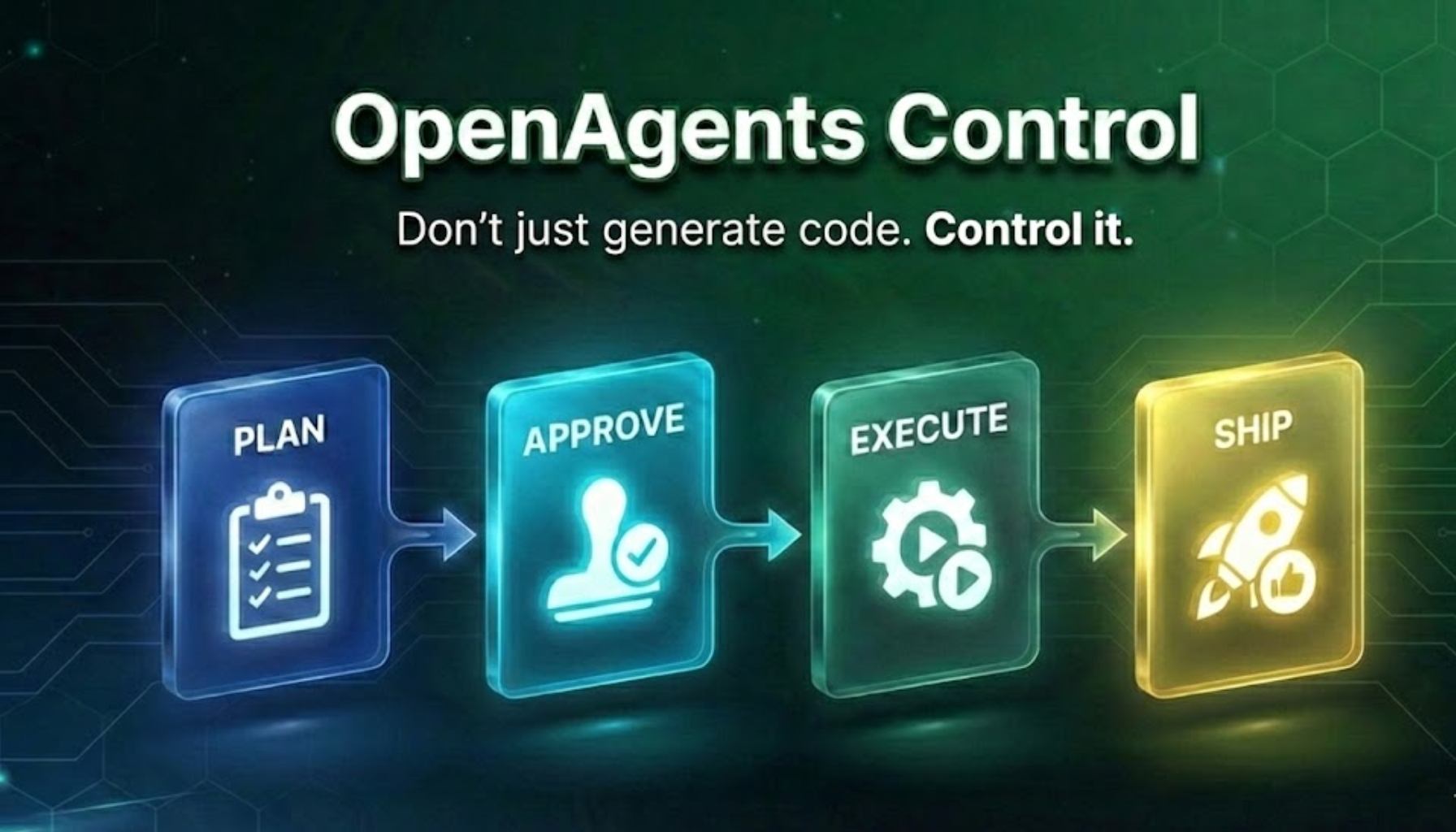
OpenAgents Control (OAC)
Control your AI patterns. Get repeatable results.
AI agents that learn YOUR coding patterns and generate matching code every time.
🎯 Pattern Control - Define your patterns once, AI uses them forever
✋ Approval Gates - Review and approve before execution
🔁 Repeatable Results - Same patterns = Same quality code
📝 Editable Agents - Full control over AI behavior
👥 Team-Ready - Everyone uses the same patterns
Multi-language: TypeScript • Python • Go • Rust • Any language*
Model Agnostic: Claude • GPT • Gemini • Local models




Built on OpenCode - An open-source AI coding framework. OAC extends OpenCode with specialized agents, context management, and team workflows.
The Problem
Most AI agents are like hiring a developer who doesn't know your codebase. They write generic code. You spend hours rewriting, refactoring, and fixing inconsistencies. Tokens burned. Time wasted. No actual work done.
Example:
// What AI gives you (generic)
export async function POST(request: Request) {
  const data = await request.json();
  return Response.json({ success: true });
}

// What you actually need (your patterns)
export async function POST(request: Request) {
  const body = await request.json();
  const validated = UserSchema.parse(body);  // Your Zod validation
  const result = await db.users.create(validated);  // Your Drizzle ORM
  return Response.json(result, { status: 201 });  // Your response format
}
The Solution
OpenAgentsControl teaches agents your patterns upfront. They understand your coding standards, your architecture, your security requirements. They propose plans before implementing. They execute incrementally with validation.
The result: Production-ready code that ships without heavy rework.
What Makes AOC Different
🎯 Context-Aware (Your Secret Weapon)
Agents load YOUR patterns before generating code. Code matches your project from the start. No refactoring needed.
📝 Editable Agents (Not Baked-In Plugins)
Full control over agent behavior. Edit markdown files directly—no compilation, no vendor lock-in. Change workflows, add constraints, customize for your team.
✋ Approval Gates (Human-Guided AI)
Agents ALWAYS request approval before execution. Propose → Approve → Execute. You stay in control. No "oh no, what did the AI just do?" moments.
⚡ Token Efficient (MVI Principle)
Minimal Viable Information design. Only load what's needed, when it's needed. Context files <200 lines, lazy loading, faster responses.
👥 Team-Ready (Repeatable Patterns)
Store YOUR coding patterns once. Entire team uses same standards. Commit context to repo. New developers inherit team patterns automatically.
🔄 Model Agnostic
Use any AI model (Claude, GPT, Gemini, local). No vendor lock-in.
Full-stack development: AOC handles both frontend and backend work. The agents coordinate to build complete features from UI to database.
🆚 Quick Comparison
| Feature | OpenAgentsControl | Cursor/Copilot | Aider | Oh My OpenCode |
|---|---|---|---|---|
| Learn Your Patterns | ✅ Built-in context system | ❌ No pattern learning | ❌ No pattern learning | ⚠️ Manual setup |
| Approval Gates | ✅ Always required | ⚠️ Optional (default off) | ❌ Auto-executes | ❌ Fully autonomous |
| Token Efficiency | ✅ MVI principle (80% reduction) | ❌ Full context loaded | ❌ Full context loaded | ❌ High token usage |
| Team Standards | ✅ Shared context files | ❌ Per-user settings | ❌ No team support | ⚠️ Manual config per user |
| Edit Agent Behavior | ✅ Markdown files you edit | ❌ Proprietary/baked-in | ⚠️ Limited prompts | ✅ Config files |
| Model Choice | ✅ Any model, any provider | ⚠️ Limited options | ⚠️ OpenAI/Claude only | ✅ Multiple models |
| Execution Speed | ⚠️ Sequential with approval | Fast | Fast | ✅ Parallel agents |
| Error Recovery | ✅ Human-guided validation | ⚠️ Auto-retry (can loop) | ⚠️ Auto-retry | ✅ Self-correcting |
| Best For | Production code, teams | Quick prototypes | Solo developers | Power users, complex projects |
Use AOC when:
- ✅ You have established coding patterns
- ✅ You want code that ships without refactoring
- ✅ You need approval gates for quality control
- ✅ You care about token efficiency and costs
Use others when:
- Cursor/Copilot: Quick prototypes, don't care about patterns
- Aider: Simple file edits, no team coordination
- Oh My OpenCode: Need autonomous execution with parallel agents (speed over control)
Full comparison: Read detailed analysis →
🚀 Quick Start
Prerequisites: OpenCode CLI (free, open-source) • Bash 3.2+ • Git
Step 1: Install
One command:
curl -fsSL https://raw.githubusercontent.com/darrenhinde/OpenAgentsControl/main/install.sh | bash -s developer
The installer will set up OpenCode CLI if you don't have it yet.
Or interactive:
curl -fsSL https://raw.githubusercontent.com/darrenhinde/OpenAgentsControl/main/install.sh -o install.sh
bash install.sh
Step 2: Start Building
opencode --agent OpenAgent
> "Create a user authentication system"
Step 3: Approve & Ship
What happens:
- Agent analyzes your request
- Proposes a plan (you approve)
- Executes step-by-step with validation
- Delegates to specialists when needed
- Ships production-ready code
That's it. Works immediately with your default model. No configuration required.
💡 The Context System: Your Secret Weapon
The problem with AI code: It doesn't match your patterns. You spend hours refactoring.
The AOC solution: Teach your patterns once. Agents load them automatically. Code matches from the start.
How It Works
Your Request
    ↓
ContextScout discovers relevant patterns
    ↓
Agent loads YOUR standards
    ↓
Code generated using YOUR patterns
    ↓
Ships without refactoring ✅
Add Your Patterns (10-15 Minutes)
/add-context
Answer 6 simple questions:
- What's your tech stack? (Next.js + TypeScript + PostgreSQL + Tailwind)
- Show an API endpoint example (paste your code)
- Show a component example (paste your code)
- What naming conventions? (kebab-case, PascalCase, camelCase)
- Any code standards? (TypeScript strict, Zod validation, etc.)
- Any security requirements? (validate input, parameterized queries, etc.)
Result: Agents now generate code matching your exact patterns. No refactoring needed.
The MVI Advantage: Token Efficiency
MVI (Minimal Viable Information) = Only load what's needed, when it's needed.
Traditional approach:
- Loads entire codebase context
- Large token overhead per request
- Slow responses, high costs
AOC approach:
- Loads only relevant patterns
- Context files <200 lines (quick to load)
- Lazy loading (agents load what they need)
- 80% of tasks use isolation context (minimal overhead)
Real benefits:
- Efficiency: Lower token usage vs loading entire codebase
- Speed: Faster responses with smaller context
- Quality: Code matches your patterns (no refactoring)
For Teams: Repeatable Patterns
The team problem: Every developer writes code differently. Inconsistent patterns. Hard to maintain.
The AOC solution: Store team patterns in .opencode/context/project/. Commit to repo. Everyone uses same standards.
Example workflow:
# Team lead adds patterns once
/add-context
# Answers questions with team standards

# Commit to repo
git add .opencode/context/
git commit -m "Add team coding standards"
git push

# All team members now use same patterns automatically
# New developers inherit standards on day 1
Result: Consistent code across entire team. No style debates. No refactoring PRs.
📖 How It Works
The Core Idea
Most AI tools: Generic code → You refactor
OpenAgentsControl: Your patterns → AI generates matching code
The Workflow
1. Add Your Context (one time)
   ↓
2. ContextScout discovers relevant patterns
   ↓
3. Agent loads YOUR standards
   ↓
4. Agent proposes plan (using your patterns)
   ↓
5. You approve
   ↓
6. Agent implements (matches your project)
   ↓
7. Code ships (no refactoring needed)
Key Benefits
🎯 Context-Aware
ContextScout discovers relevant patterns. Agents load YOUR standards before generating code. Code matches your project from the start.
🔁 Repeatable
Same patterns → Same results. Configure once, use forever. Perfect for teams.
⚡ Token Efficient (80% Reduction)
MVI principle: Only load what's needed. 8,000 tokens → 750 tokens. Massive cost savings.
✋ Human-Guided
Agents propose plans, you approve before execution. Quality gates prevent mistakes. No auto-execution surprises.
📝 Transparent & Editable
Agents are markdown files you can edit. Change workflows, add constraints, customize behavior. No vendor lock-in.
What Makes This Special
1. ContextScout - Smart Pattern Discovery
Before generating code, ContextScout discovers relevant patterns from your context files. Ranks by priority (Critical → High → Medium). Prevents wasted work.
2. Editable Agents - Full Control
Unlike Cursor/Copilot where behavior is baked into plugins, AOC agents are markdown files. Edit them directly:
nano ~/.opencode/agent/core/opencoder.md
# Add project rules, change workflows, customize behavior
3. ExternalScout - Live Documentation 🆕
Working with external libraries? ExternalScout fetches current documentation:
- Gets live docs from official sources (npm, GitHub, docs sites)
- No outdated training data - always current
- Automatically triggered when agents detect external dependencies
- Supports frameworks, APIs, libraries, and more
4. Approval Gates - No Surprises
Agents ALWAYS request approval before:
- Writing/editing files
- Running bash commands
- Delegating to subagents
- Making any changes
You stay in control. Review plans before execution.
5. MVI Principle - Token Efficiency
Files designed for quick loading:
- Concepts: <100 lines
- Guides: <150 lines
- Examples: <80 lines
Result: Lower token usage vs loading entire codebase.
6. Team Patterns - Repeatable Results
Store patterns in .opencode/context/project/. Commit to repo. Entire team uses same standards. New developers inherit patterns automatically.
🎯 Which Agent Should I Use?
OpenAgent (Start Here)
Best for: Learning the system, general tasks, quick implementations
opencode --agent OpenAgent
> "Create a user authentication system"            # Building features
> "How do I implement authentication in Next.js?"  # Questions
> "Create a README for this project"               # Documentation
> "Explain the architecture of this codebase"      # Analysis
What it does:
- Loads your patterns via ContextScout
- Proposes plan (you approve)
- Executes with validation
- Delegates to specialists when needed
Perfect for: First-time users, simple features, learning the workflow
OpenCoder (Production Development)
Best for: Complex features, multi-file refactoring, production systems
opencode --agent OpenCoder
> "Create a user authentication system"                 # Full-stack features
> "Refactor this codebase to use dependency injection"  # Multi-file refactoring
> "Add real-time notifications with WebSockets"         # Complex implementations
What it does:
- Discover: ContextScout finds relevant patterns
- Propose: Detailed implementation plan
- Approve: You review and approve
- Execute: Incremental implementation with validation
- Validate: Tests, type checking, code review
- Ship: Production-ready code
Perfect for: Production code, complex features, team development
SystemBuilder (Custom AI Systems)
Best for: Building complete custom AI systems tailored to your domain
opencode --agent SystemBuilder
> "Create a customer support AI system"
Interactive wizard generates orchestrators, subagents, context files, workflows, and commands.
Perfect for: Creating domain-specific AI systems
🛠️ What's Included
🤖 Main Agents
- OpenAgent - General tasks, questions, learning (start here)
- OpenCoder - Production development, complex features
- SystemBuilder - Generate custom AI systems
🔧 Specialized Subagents (Auto-delegated)
- ContextScout - Smart pattern discovery (your secret weapon)
- TaskManager - Breaks complex features into atomic subtasks
- CoderAgent - Focused code implementations
- TestEngineer - Test authoring and TDD
- CodeReviewer - Code review and security analysis
- BuildAgent - Type checking and build validation
- DocWriter - Documentation generation
- ExternalScout - Fetches live docs for external libraries (no outdated training data) NEW!
- Plus category specialists: frontend, devops, copywriter, technical-writer, data-analyst
⚡ Productivity Commands
/add-context- Interactive wizard to add your patterns/commit- Smart git commits with conventional format/test- Testing workflows/optimize- Code optimization/context- Context management- And 7+ more productivity commands
📚 Context System (MVI Principle)
Your coding standards automatically loaded by agents:
- Code quality - Your patterns, security, standards
- UI/design - Design system, component patterns
- Task management - Workflow definitions
- External libraries - Integration guides (18+ libraries supported)
- Project-specific - Your team's patterns
Key features:
- 80% token reduction via MVI
- Smart discovery via ContextScout
- Lazy loading (only what's needed)
- Team-ready (commit to repo)
- Version controlled (track changes)
💻 Example Workflow
opencode --agent OpenCoder
> "Create a user dashboard with authentication and profile settings"
What happens:
1. Discover (~1-2 min) - ContextScout finds relevant patterns
- Your tech stack (Next.js + TypeScript + PostgreSQL)
- Your API pattern (Zod validation, error handling)
- Your component pattern (functional, TypeScript, Tailwind)
- Your naming conventions (kebab-case files, PascalCase components)
2. Propose (~2-3 min) - Agent creates detailed implementation plan
## Proposed Implementation

**Components:**
- user-dashboard.tsx (main page)
- profile-settings.tsx (settings component)
- auth-guard.tsx (authentication wrapper)

**API Endpoints:**
- /api/user/profile (GET, POST)
- /api/auth/session (GET)

**Database:**
- users table (Drizzle schema)
- sessions table (Drizzle schema)

All code will follow YOUR patterns from context.

Approve? [y/n]
3. Approve - You review and approve the plan (human-guided)
4. Execute (~10-15 min) - Incremental implementation with validation
- Implements one component at a time
- Uses YOUR patterns for every file
- Validates after each step (type check, lint)
- This is the longest step - generating quality code takes time
5. Validate (~2-3 min) - Tests, type checking, code review
- Delegates to TestEngineer for tests
- Delegates to CodeReviewer for security check
- Ensures production quality
6. Ship - Production-ready code
- Code matches your project exactly
- No refactoring needed
- Ready to commit and deploy
Total time: ~15-25 minutes for a complete feature (guided, with approval gates)
💡 Pro Tips
After finishing a feature:
- Run
/add-context --updateto add new patterns you discovered - Update your context with new libraries, conventions, or standards
- Keep your patterns fresh as your project evolves
Working with external libraries?
- ExternalScout automatically fetches current documentation
- No more outdated training data - gets live docs from official sources
- Works with npm packages, APIs, frameworks, and more
⚙️ Advanced Configuration
Model Configuration (Optional)
By default, all agents use your OpenCode default model. Configure models per agent only if you want different agents to use different models.
When to configure:
- You want faster agents to use cheaper models (e.g., Haiku/Flash)
- You want complex agents to use smarter models (e.g., Opus/GPT-5)
- You want to test different models for different tasks
How to configure:
Edit agent files directly:
nano ~/.opencode/agent/core/opencoder.md
Change the model in the frontmatter:
---
description: "Development specialist"
model: anthropic/claude-sonnet-4-5  # Change this line
---
Browse available models at models.dev or run opencode models.
Update Context as You Go
Your project evolves. Your context should too.
/add-context --update
What gets updated:
- Tech stack, patterns, standards
- Version incremented (1.0 → 1.1)
- Updated date refreshed
Example updates:
- Add new library (Stripe, Twilio, etc.)
- Change patterns (new API format, component structure)
- Migrate tech stack (Prisma → Drizzle)
- Update security requirements
Agents automatically use updated patterns.
🎯 Is This For You?
✅ Use AOC if you:
- Build production code that ships without heavy rework
- Work in a team with established coding standards
- Want control over agent behavior (not black-box plugins)
- Care about token efficiency and cost savings
- Need approval gates for quality assurance
- Want repeatable, consistent results
- Use multiple AI models (no vendor lock-in)
⚠️ Skip AOC if you:
- Want fully autonomous execution without approval gates
- Prefer "just do it" mode over human-guided workflows
- Don't have established coding patterns yet
- Need multi-agent parallelization (use Oh My OpenCode instead)
- Want plug-and-play with zero configuration
🤔 Not Sure?
Try this test:
- Ask your current AI tool to generate an API endpoint
- Count how many minutes you spend refactoring it to match your patterns
- If you're spending time on refactoring, AOC will save you that time
Or ask yourself:
- Do you have coding standards your team follows?
- Do you spend time refactoring AI-generated code?
- Do you want AI to follow YOUR patterns, not generic ones?
If you answered "yes" to any of these, AOC is for you.
🚀 Advanced Features
Frontend Design Workflow
The OpenFrontendSpecialist follows a structured 4-stage design workflow:
- Layout - ASCII wireframe, responsive structure planning
- Theme - Design system selection, OKLCH colors, typography
- Animation - Micro-interactions, timing, accessibility
- Implementation - Single HTML file, semantic markup
Task Management & Breakdown
The TaskManager breaks complex features into atomic, verifiable subtasks with smart agent suggestions and parallel execution support.
System Builder
Build complete custom AI systems tailored to your domain in minutes. Interactive wizard generates orchestrators, subagents, context files, workflows, and commands.
❓ FAQ
Getting Started
Q: Does this work on Windows?
A: Yes! Use Git Bash (recommended) or WSL.
Q: What languages are supported?
A: Agents are language-agnostic and adapt based on your project files. Primarily tested with TypeScript/Node.js. Python, Go, Rust, and other languages are supported but less battle-tested. The context system works with any language.
Q: Do I need to add context?
A: No, but it's highly recommended. Without context, agents write generic code. With context, they write YOUR code.
Q: Can I use this without customization?
A: Yes, it works out of the box. But you'll get the most value after adding your patterns (10-15 minutes with /add-context).
Q: What models are supported?
A: Any model from any provider (Claude, GPT, Gemini, local models). No vendor lock-in.
For Teams
Q: How do I share context with my team?
A: Commit .opencode/context/project/ to your repo. Team members automatically use same patterns.
Q: How do we ensure everyone follows the same standards?
A: Add team patterns to context once. All agents load them automatically. Consistent code across entire team.
Q: Can different projects have different patterns?
A: Yes! Use project-specific context (.opencode/ in project root) to override global patterns.
Technical
Q: How does token efficiency work?
A: MVI principle: Only load what's needed, when it's needed. Context files <200 lines (scannable in 30s). ContextScout discovers relevant patterns. Lazy loading prevents context bloat. 80% of tasks use isolation context (minimal overhead).
Q: What's ContextScout?
A: Smart pattern discovery agent. Finds relevant context files before code generation. Ranks by priority. Prevents wasted work.
Q: Can I edit agent behavior?
A: Yes! Agents are markdown files. Edit them directly: nano ~/.opencode/agent/core/opencoder.md
Q: How do approval gates work?
A: Agents ALWAYS request approval before execution (write/edit/bash). You review plans before implementation. No surprises.
Q: How do I update my context?
A: Run /add-context --update anytime your patterns change. Agents automatically use updated patterns.
Comparison
Q: How is this different from Cursor/Copilot?
A: AOC has editable agents (not baked-in), approval gates (not auto-execute), context system (YOUR patterns), and MVI token efficiency.
Q: How is this different from Aider?
A: AOC has team patterns, context system, approval workflow, and smart pattern discovery. Aider is file-based only.
Q: How does this compare to Oh My OpenCode?
A: Both are built on OpenCode. AOC focuses on control & repeatability (approval gates, pattern control, team standards). Oh My OpenCode focuses on autonomy & speed (parallel agents, auto-execution). Read detailed comparison →
Q: When should I NOT use AOC?
A: If you want fully autonomous execution without approval gates, or if you don't have established coding patterns yet.
Setup
Q: What bash version do I need?
A: Bash 3.2+ (macOS default works). Run bash scripts/tests/test-compatibility.sh to check.
Q: Do I need to install plugins/tools?
A: No, they're optional. Only install if you want Telegram notifications or Gemini AI features.
Q: Where should I install - globally or per-project?
A: Global (~/.opencode/) works for most. Project-specific (.opencode/) if you need different configs per project.
🗺️ Roadmap & What's Coming
This is only the beginning! We're actively developing new features and improvements every day.
🚀 See What's Coming Next
Check out our Project Board to see:
- 🔨 In Progress - Features being built right now
- 📋 Planned - What's coming soon
- 💡 Ideas - Future enhancements under consideration
- ✅ Recently Shipped - Latest improvements
🎯 Current Focus Areas
- Plugin System - npm-based plugin architecture for easy distribution
- Performance Improvements - Faster agent execution and context loading
- Enhanced Context Discovery - Smarter pattern recognition
- Multi-language Support - Better Python, Go, Rust support
- Team Collaboration - Shared context and team workflows
- Documentation - More examples, tutorials, and guides
💬 Have Ideas?
We'd love to hear from you!
Star the repo ⭐ to stay updated with new releases!
🤝 Contributing
We welcome contributions!
- Follow the established naming conventions and coding standards
- Write comprehensive tests for new features
- Update documentation for any changes
- Ensure security best practices are followed
See: Contributing Guide • Code of Conduct
💬 Community & Support
Join the community and stay updated with the latest AI development workflows!




📺 Tutorials & Demos • 💬 Join Waitlist • 🐦 Latest Updates • ☕ Support Development
Your support helps keep this project free and open-source!
License
This project is licensed under the MIT License.
Made with ❤️ by developers, for developers. Star the repo if this saves you refactoring time!