 a9f119e83e
Profile Changes: - Reduce core profile from 15 to 9 components (true essentials only) - Keep developer at 22 components (add back image-specialist + gemini) - Remove unused subagents from core (reviewer, build-agent) - Remove non-essential commands from core (test, context, prompt-enhancer) Core Profile (9 components): - Agents: task-manager, codebase-agent - Subagents: tester, documentation, coder-agent - Commands: commit - Context: essential-patterns, project-context - Config: env-example Developer Profile (22 components): - Everything in core plus quality tools and AI features - Added: image-specialist, gemini tool - Added: reviewer, build-agent, codebase-pattern-analyst - Added: test, context, clean, optimize, prompt-enhancer commands Bug Fixes: - Fix jq error: 'Cannot iterate over null' for config components - Add get_registry_key() helper to handle singular 'config' vs plural types - Update all jq queries to use correct registry keys Codebase Agent: - Remove @image-specialist reference (not needed for core coding) - Update subagent list to match actual usage - Now lists: @task-manager, @tester, @documentation, @coder-agent Documentation: - Update README with correct component counts - Update profile descriptions to be more accurate - Clarify what each profile is best for This makes 'core' truly minimal and 'developer' the recommended choice. |
||
|---|---|---|
| .github | ||
| .opencode | ||
| assets | ||
| docs | ||
| scripts | ||
| .gitignore | ||
| COMPATIBILITY.md | ||
| env.example | ||
| install.sh | ||
| README.md | ||
| registry.json | ||
| update.sh | ||
OpenCode Agents
AI agent framework for plan-first development workflows with approval-based execution





Multi-language support: TypeScript • Python • Go • Rust
Features: Automatic testing • Code review • Validation
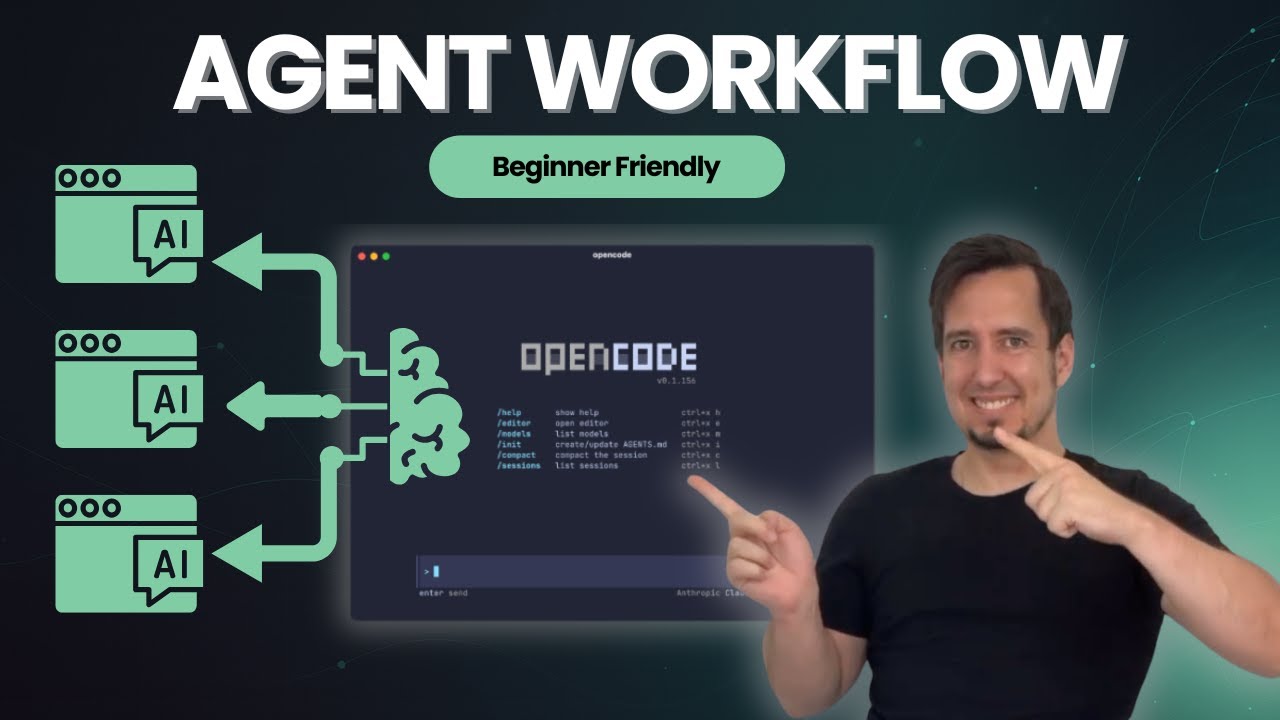
Note: This repository has evolved since the demo video with continuous improvements to make it easier for others to use in their projects. The core concepts remain the same, but installation and component organization have been streamlined.
📹 Following along with the video? The simplified structure shown in the tutorial is available on the
video-simplebranch.
Why Use This?
- ✅ Multi-language support - Works with TypeScript, Python, Go, Rust, and more
- ✅ Plan-first workflow - Agents propose plans before implementing
- ✅ Incremental execution - Step-by-step implementation with validation
- ✅ Quality built-in - Automatic testing, type checking, and code review
- ✅ Your patterns - Agents follow your coding standards from context files
Quick Start
Step 1: Install OpenCode CLI (Follow official guide)
https://opencode.ai/docs#
Step 2: Install Agents & Commands
Option A: Interactive Installer
Note: Interactive mode requires downloading the script first (can't run through pipe)
macOS / Linux
# Download the installer
curl -fsSL https://raw.githubusercontent.com/darrenhinde/opencode-agents/main/install.sh -o install.sh

# Run interactively
bash install.sh
Windows (Git Bash)
# Download the installer
curl -fsSL https://raw.githubusercontent.com/darrenhinde/opencode-agents/main/install.sh -o install.sh

# Run interactively
bash install.sh
Windows (PowerShell)
# Download the script
Invoke-WebRequest -Uri "https://raw.githubusercontent.com/darrenhinde/opencode-agents/main/install.sh" -OutFile "install.sh"

# Run with Git Bash
& "C:\Program Files\Git\bin\bash.exe" install.sh

# Or run with WSL
wsl bash install.sh
Note: Git Bash comes with Git for Windows. Download here
The installer offers:
- 🎯 Quick Profiles: Core, Developer, Full, or Advanced
- 🎨 Custom Selection: Pick exactly what you need
- 📦 Smart Dependencies: Auto-installs required components
- ✨ Interactive Menus: User-friendly component browser
- 🛡️ Collision Detection: Safely handles existing files with 4 strategies (skip/overwrite/backup/cancel)
- 🖥️ Cross-Platform: Works on macOS, Linux, and Windows (Git Bash/WSL)
Updating? The installer detects existing files and lets you choose: skip existing (keep your changes), overwrite all (get latest), or backup & overwrite (safe update). Learn more
Option B: Profile-Based Install (Recommended)
Fastest method: One command, no interaction needed
macOS / Linux / Git Bash / WSL
# Core - Minimal essentials (9 components)
curl -fsSL https://raw.githubusercontent.com/darrenhinde/opencode-agents/main/install.sh | bash -s core

# Developer - Recommended for daily work (22 components)
curl -fsSL https://raw.githubusercontent.com/darrenhinde/opencode-agents/main/install.sh | bash -s developer

# Full - Everything included (25 components)
curl -fsSL https://raw.githubusercontent.com/darrenhinde/opencode-agents/main/install.sh | bash -s full

# Advanced - Full + System Builder (30 components)
curl -fsSL https://raw.githubusercontent.com/darrenhinde/opencode-agents/main/install.sh | bash -s advanced
Windows PowerShell
# Download script
Invoke-WebRequest -Uri "https://raw.githubusercontent.com/darrenhinde/opencode-agents/main/install.sh" -OutFile "install.sh"

# Core profile
& "C:\Program Files\Git\bin\bash.exe" install.sh core

# Developer profile
& "C:\Program Files\Git\bin\bash.exe" install.sh developer

# Full profile
& "C:\Program Files\Git\bin\bash.exe" install.sh full

# Advanced profile
& "C:\Program Files\Git\bin\bash.exe" install.sh advanced
New! The
advancedprofile includes the System Builder - an interactive tool that generates complete custom AI systems tailored to your domain. Learn more
Option C: Manual Install
# Clone this repository
git clone https://github.com/darrenhinde/opencode-agents.git
cd opencode-agents

# Install to OpenCode directory (global)
mkdir -p ~/.opencode
cp -r .opencode/agent ~/.opencode/
cp -r .opencode/command ~/.opencode/
cp -r .opencode/context ~/.opencode/
Step 3: Start Building
# Start the main development agent (recommended for new users)
opencode --agent codebase-agent

# Tell it what to build
> "Create a React todo list with TypeScript"
What happens next:
- Agent proposes an implementation plan
- Asks for your approval
- Implements step-by-step with validation
- Delegates to @task-manager for complex features
- Uses @tester and @reviewer for quality assurance
How It Works
User Request
    ↓
codebase-agent (main coordinator)
    ↓
    ├─→ @task-manager (breaks down complex features)
    ├─→ @tester (writes and runs tests)
    ├─→ @reviewer (security and code review)
    ├─→ @documentation (generates docs)
    └─→ @build-agent (type checking and validation)
The workflow:
- You describe what you want to build
- Agent plans the implementation steps
- You approve the plan
- Agent implements incrementally with validation
- Quality checks run automatically (tests, types, linting)
- Subagents handle specialized tasks (testing, review, docs)
Context-aware: Agents automatically load patterns from .opencode/context/ to follow your coding standards.
What's Included
🤖 Main Agents
- codebase-agent - Your main development partner (recommended for most tasks)
- task-manager - Breaks complex features into manageable subtasks
- workflow-orchestrator - Routes requests to appropriate workflows
- image-specialist - Generates images with Gemini AI
🔧 Specialized Subagents (Auto-delegated)
- reviewer - Code review and security analysis
- tester - Test creation and validation
- coder-agent - Quick implementation tasks
- documentation - Documentation generation
- build-agent - Build and type checking
- codebase-pattern-analyst - Pattern discovery
⚡ Commands
- /commit - Smart git commits with conventional format
- /optimize - Code optimization
- /test - Testing workflows
- /clean - Cleanup operations
- /context - Context management
- /prompt-enchancer - Improve your prompts
- /worktrees - Git worktree management
📚 Context Files
core/essential-patterns.md- Universal coding patternsproject/project-context.md- Your project-specific patterns
Example Workflows
Build a Feature
opencode --agent codebase-agent
> "Create a user authentication system with email/password"

# Agent will:
# 1. Propose implementation plan
# 2. Wait for your approval
# 3. Delegate to @task-manager (creates tasks/subtasks/user-auth/)
# 4. Implement step-by-step
# 5. Use @tester for tests
# 6. Use @reviewer for security review
Make a Commit
# Make your changes
git add .

# Use the commit command
/commit

# Auto-generates: ✨ feat: add user authentication system
Add Your Patterns
# Edit your project context
nano ~/.opencode/context/project/project-context.md

# Add your patterns:
# **API Endpoint Pattern:**
# ```typescript
# export async function POST(request: Request) {
#   // Your standard pattern
# }
# ```

# Agents will automatically use these patterns!
🏗️ System Builder (New!)
Build complete custom AI systems tailored to your domain in minutes.
The System Builder is an interactive tool that generates complete .opencode architectures customized to your needs.
Quick Start
# Install advanced profile (includes system builder)
curl -fsSL https://raw.githubusercontent.com/darrenhinde/opencode-agents/main/install.sh | bash -s advanced

# Run the interactive builder
/build-context-system
What It Does
- 🎯 Interactive Interview - Asks about your domain, use cases, and requirements
- 🤖 Generates Complete System - Creates orchestrator, subagents, context files, workflows, and commands
- 🔗 Integrates with Existing - Detects and reuses your existing agents
- 🛡️ Safe Merging - Won't overwrite your work, offers merge strategies
- 📚 Production-Ready - Includes documentation, testing guides, and examples
Example
$ /build-context-system

Domain: E-commerce Operations
Purpose: Automate order processing and customer support

# After answering questions, generates:
# - ecommerce-orchestrator (main agent)
# - order-processor, ticket-router, report-generator (subagents)
# - 12 context files (domain knowledge, processes, standards)
# - 5 workflows (process-order, route-ticket, etc.)
# - 5 custom commands (/process-order, /route-ticket, etc.)
# - Complete documentation
Learn more: System Builder Documentation
Optional Add-ons
📱 Telegram Notifications
Get notified when OpenCode sessions go idle.
# Copy plugin directory
cp -r .opencode/plugin ~/.opencode/

# Install dependencies
cd ~/.opencode/plugin
npm install

# Configure
cd ~/opencode-agents
cp env.example .env
# Edit .env with TELEGRAM_BOT_TOKEN and TELEGRAM_CHAT_ID
Get credentials: Message @BotFather on Telegram → /newbot → Save token
See .opencode/plugin/README.md for detailed documentation.
🎨 Gemini AI Image Tools
Generate and edit images using Gemini AI.
# Copy tool directory
cp -r .opencode/tool ~/.opencode/

# Install dependencies
cd ~/.opencode/tool
npm install

# Configure
cd ~/opencode-agents
cp env.example .env
# Edit .env with GEMINI_API_KEY
Get API key: https://makersuite.google.com/app/apikey
Common Questions
Q: What's the main way to use this?
A: Use opencode --agent codebase-agent for development. It coordinates everything else.
Q: Does this work on Windows?
A: Yes! Use Git Bash (recommended) or WSL. See Platform Compatibility Guide for details.
Q: What bash version do I need?
A: Bash 3.2+ (works on macOS default bash). Run bash scripts/tests/test-compatibility.sh to check your system.
Q: Do I need to install plugins/tools?
A: No, they're optional. Only install if you want Telegram notifications or Gemini AI features.
Q: Where should I install - globally or per-project?
A: Global (~/.opencode/) works for most. Project-specific (.opencode/) if you need different configs per project.
Q: How do I add my own coding patterns?
A: Edit ~/.opencode/context/project/project-context.md - agents automatically load this file.
Q: What languages are supported?
A: The agents work with any language (TypeScript, Python, Go, Rust, etc.) and adapt based on your project files.
Q: What's the Agent System Blueprint for?
A: It's a teaching document explaining architecture patterns and how to extend the system. See docs/features/agent-system-blueprint.md
Q: Can I use just one command or agent?
A: Yes! Use the installer's list feature to see all components:
./install.sh --list
Or cherry-pick individual files with curl:
curl -o ~/.opencode/agent/codebase-agent.md \
  https://raw.githubusercontent.com/darrenhinde/opencode-agents/main/.opencode/agent/codebase-agent.md
Installation Profiles
The installer offers four pre-configured profiles:
🎯 Core (Minimal - 9 components)
Absolute essentials for basic development workflow.
- Agents: task-manager, codebase-agent
- Subagents: tester, documentation, coder-agent
- Commands: commit
- Context: essential-patterns, project-context
- Config: env-example
- Best for: Minimal setup, learning the system
💼 Developer (Recommended - 22 components)
Complete daily development setup with AI assistance.
- Everything in Core, plus:
- Agents: image-specialist, workflow-orchestrator
- Subagents: reviewer, build-agent, codebase-pattern-analyst
- Commands: test, context, clean, optimize, prompt-enhancer
- Tools: env, gemini (AI image generation)
- Config: readme
- Best for: Most developers, daily use, full-featured
📦 Full
Complete installation with all available components.
- Everything in Developer, plus:
- Commands: worktrees (git worktree management)
- Best for: Power users, exploring all features
🚀 Advanced
Full installation plus System Builder and experimental features.
- Everything in Full, plus:
- System Builder: Interactive AI system generator (7 components)
- system-builder agent
- domain-analyzer, agent-generator, context-organizer, workflow-designer, command-creator subagents
- build-context-system command
- Additional: .Building/ directory, GitHub workflows
- Best for: Building custom AI systems, contributors, learning the architecture
Updating Components
Keep your components up to date:
# Update all installed components
./update.sh

# Or re-run the installer
curl -fsSL https://raw.githubusercontent.com/darrenhinde/opencode-agents/main/install.sh | bash
Advanced
Understanding the System
Read Agent System Blueprint to learn:
- How context loading works (the
@symbol) - Agent architecture patterns
- How to create custom agents and commands
- How to extend the system for your needs
Safety & Security
- Approval-first workflow - Agents propose plans before execution
- Configurable permissions - Granular control over agent capabilities
- Secure credentials - Environment variables for sensitive data
- Input sanitization - Protection against injection attacks
Project Structure
.opencode/
├── agent/              # AI agents
│   ├── codebase-agent.md
│   ├── task-manager.md
│   └── subagents/      # Specialized helpers
├── command/            # Slash commands
│   ├── commit.md
│   └── optimize.md
├── context/            # Coding patterns
│   ├── core/           # Essential patterns
│   └── project/        # Your patterns
├── plugin/             # Optional: Telegram
└── tool/               # Optional: Gemini AI
Contributing
We welcome contributions! Please see our Contributing Guide for details.
- Follow the established naming conventions and coding standards
- Write comprehensive tests for new features
- Update documentation for any changes
- Ensure security best practices are followed
See also: Code of Conduct
License
This project is licensed under the MIT License.
Recommended for New Users
Start with codebase-agent - it's your main development partner that handles planning, implementation, and quality assurance. It automatically delegates to specialized subagents when needed, so you don't have to manage multiple agents yourself.
opencode --agent codebase-agent
> "Your development task here"
The agent will guide you through the entire development workflow with a plan-first, approval-based approach.
Support This Work
If this helped you out and you're feeling generous, consider funding my coffee habit ☕

Totally optional, but appreciated.